
FantasyPros - Fantasy Advice
FantasyProsSports
4.76.29K Reviews
- Version
- 3.1.5
- Installs
- 500.00K
- Age Rating
- Everyone
Screenshots
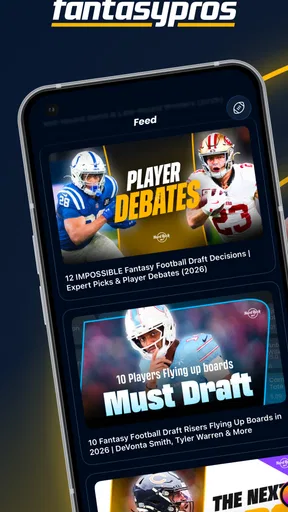
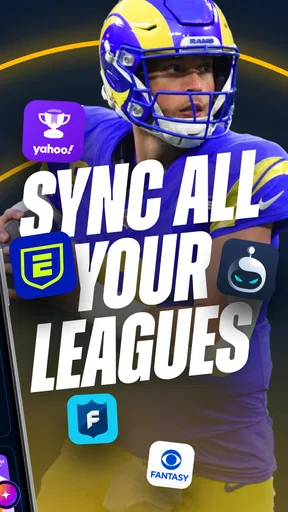
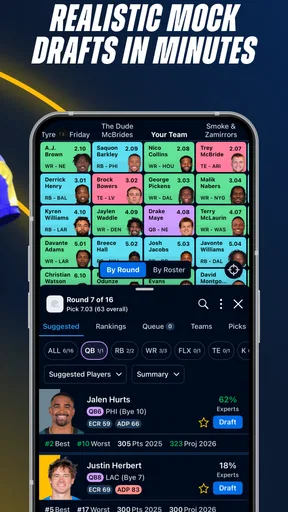
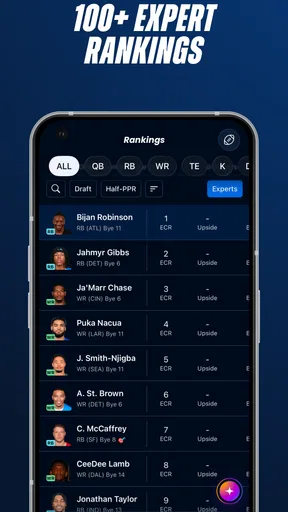
Our Review of FantasyPros - Fantasy Advice
 Analysis by Appyee
When I first use a fantasy-football companion, the tricky part is rarely finding a button; it is getting a useful view of my team without adding another chore to Sunday. Fantasy Football My Playbook is aimed at that season-long routine: checking decisions, comparing options, and keeping up with player news. I see its strongest appeal in helping a manager think through a choice, rather than promising that any tool can guarantee a win.
Where setup can feel less simple than it sounds
The app is a free sports app from FantasyPros, and its focus is fantasy football rather than a general sports feed. The store description points to season-long league tools, so it makes most sense if you already manage a team and want help during the season. It has a 4.8 average from around 30,000 ratings, and more than 100,000 installs. Those figures suggest an established audience, but they do not tell me whether its workflow will suit every league or every manager.
The first thing I would check is whether the league platform I use is supported and whether I am signing into the correct account. A connected team is only helpful if it is the team I intend to manage. If the roster looks wrong or does not appear, I would avoid making lineup decisions from a partial view; I would first revisit the account and league selection, then check the same roster in the league’s own app or website.
That cross-check matters because a fantasy tool is a decision aid, not the official record of a league. I would use the league platform for confirming a saved lineup or transaction, especially near a deadline. This small habit prevents a common kind of frustration: assuming that a recommendation or screen change automatically means a league action has been submitted.
Using the tools without handing over your judgment
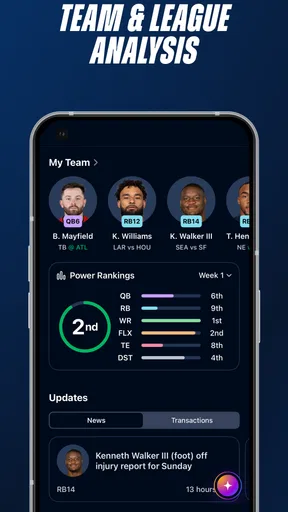
If you’re like me and can’t get enough of fantasy football, Fantasy Football My Playbook is like having a coach right in your pocket. Setting it up is a breeze. Once you download the app from the App Store or Google Play, you’re greeted with a sleek, user-friendly interface. It’s designed to sync seamlessly with your existing fantasy teams across various platforms like ESPN, Yahoo, and CBS. No more juggling different apps or tabs—everything is streamlined into one place.
Key Features
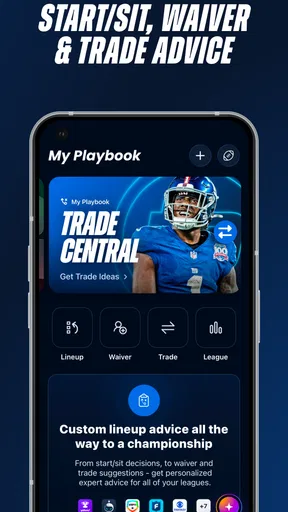
Alright, let’s talk about what sets this app apart. First off, the lineup optimizer is a lifesaver. You know those nail-biting moments when you’re unsure who to start or sit? This feature analyzes player stats, matchups, and projections to give you the best possible lineup. Trust me, it’s like having an expert whispering in your ear.
My practical tip is to treat an optimized lineup as a starting point, not an order. Before acting on it, I would compare its suggestions with my league’s scoring rules, roster requirements, and the information I already trust about a player’s role. A projected edge may not reflect the priorities I have for a particular matchup, and no projection can remove the uncertainty that comes with football. The useful question is not simply “Who ranks higher?” but “Does this recommendation fit my roster and the way this league scores?”
Next up, the trade analyzer. Ever been offered a trade and weren’t sure if you should take it? This feature breaks down the pros and cons, giving you a detailed analysis of potential outcomes. It’s like having a crystal ball for your fantasy team.
I find trade advice most useful when I use it to clarify what I am giving up, rather than to settle a negotiation for me. Before accepting a suggested deal, I would look at positional depth, the shape of my starting lineup, and whether the trade solves a real weakness. A player-for-player comparison can look appealing in isolation while leaving a team awkwardly unbalanced. I would also check the league’s own transaction screen before assuming a trade is complete.
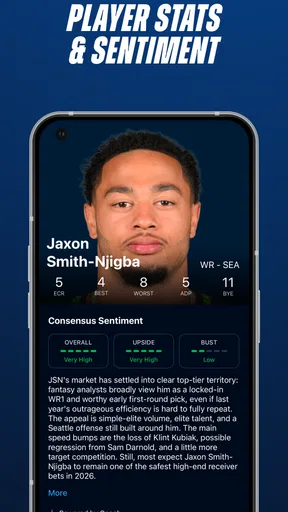
And let’s not forget the player news section. It keeps you updated with the latest injuries, trades, and performance reports. You’ll never be caught off guard again!
News is most valuable when it changes a decision I still have time to make. On a busy game day, I would check it before setting my lineup, then revisit only the players whose status could affect my choice. That is more practical than refreshing every item all afternoon. I would still confirm an important late update against the league platform or a trusted current report before changing a close call.
Making it fit a real football week
A realistic routine might look like this: during the week, I review a trade offer and use the analyzer to see which roster needs it addresses. Before the weekend, I compare the lineup suggestions with my league rules and the player news. Just before a deadline, I confirm my final choices in the league’s own app. This keeps My Playbook useful without making it the only place I check, and it reduces the risk of confusing advice with a submitted move.
This kind of workflow is a better fit for managers who enjoy staying involved but do not want to rebuild every decision from scratch. A newer player can use the tools to learn what questions to ask about matchups and roster balance. A more experienced manager may value the convenience of gathering several kinds of decision support in one place. In either case, I would keep a short note of my own league’s scoring quirks and lineup rules; that context helps me judge recommendations instead of following them blindly.
There is a trade-off to putting several tools in one app. It can reduce the need to jump between a fantasy platform, a news source, and separate analysis pages, but it also means I need to be comfortable with the app’s way of presenting information. If I prefer to research every player independently or build my own spreadsheets, a consolidated view may feel less flexible than my established process. I would try it alongside my normal routine before deciding which parts genuinely save time.
When another option may suit you better
Compared with relying only on the app for the league where a team is hosted, My Playbook is more of an analysis companion: its appeal is having lineup, trade, and news tools together. The league’s own app remains the place I would use to verify roster changes and saved decisions. A manager who wants only a simple roster screen may not need an extra layer, while someone who enjoys comparing advice from multiple sources may prefer a broader research setup. The right choice depends on whether the extra analysis helps you decide or merely gives you more to check.
I would also skip it if I do not play season-long fantasy football or have no interest in consulting tools between matchups. It is built around helping with ongoing league decisions, not replacing the fun of watching games or making every choice automatic. The app is free to download, but it includes in-app purchases ranging from about $8 to $192 per item. I would check what an upgrade offers inside the app and decide whether I need it before paying; the free starting point is a sensible way to judge whether the workflow suits me.
Small checks when something seems off
If a team does not appear, my first step would be to confirm that I selected the intended fantasy account and league, then compare the roster with the official league platform. If information seems stale, I would reopen the relevant view and check again rather than making a rushed change from an unclear screen. For a lineup that looks different from what I expect, I would check roster slots and scoring settings in the league itself before blaming the recommendation. These are basic checks, but they separate account or league context from the judgment call the tools are meant to support.
Sometimes the app is not the cause of a confusing recommendation. Fantasy projections depend on uncertain player outcomes, and the league’s scoring rules can make two apparently similar options behave differently. A late injury update can also change the context after I last looked. When the advice conflicts with what I know about my league, I treat that as a reason to inspect the assumptions, not proof that either the app or my own read is automatically right.
User Experience
Now, onto the user experience. The app is smooth and intuitive, making navigation a breeze. You won’t find yourself fumbling around trying to locate features. Plus, the design is clean and visually appealing, which is a nice bonus for those of us who spend a lot of time staring at screens.
For me, the best test of an interface is whether I can find the information I need while making a decision, then get back to my day. A clean layout helps, but I still would not try to handle every roster question in a spare second. If I am comparing a close lineup call, I want enough time to read the context and verify the final choice in my league platform. The app can make checking more convenient; it cannot make a rushed decision thoughtful.
But here’s where it gets even better: the community. The app connects you with other fantasy football aficionados, allowing you to share tips, strategies, and even a little friendly banter. It’s like being part of a massive, football-loving family.
I would treat community discussion as another perspective rather than a substitute for checking league-specific details. Advice from another manager may be useful for spotting a question I had not considered, but roster construction, scoring, and team needs differ. The most helpful contribution is often a reasoned explanation I can compare with my own situation, not a confident take that assumes every league works the same way.
Who will get the most from it
The app is best suited to someone who already has a fantasy team and wants regular help weighing choices across the season. It can be especially handy if I manage more than one team or find myself switching between league information and analysis: the central appeal is having several decision tools close together. It is less compelling for a casual player who checks a roster only occasionally, or for a manager who prefers to make every call from a single league platform and does not want additional recommendations.
It is also worth being clear about the difference between free access and optional spending. Fantasy Football My Playbook is free, with an Everyone age rating, and its current version is 2.9.37; in-app purchases are available. I would approach those purchases as optional extras, not as a requirement for enjoying fantasy football. If I am deciding whether to keep using it, I would first see whether its everyday tools fit my routine, then consider whether any paid option solves a specific need rather than paying just because it is offered.
Why You’ll Love It
If you’re on the fence about downloading Fantasy Football My Playbook, let me give you a nudge. This app is packed with tools that not only save you time but also enhance your gameplay. It’s like having a personal assistant dedicated to making sure your fantasy team is in peak condition.
The insights you gain are invaluable, and the ease of access means you can make informed decisions on the fly. Whether you’re at home, at work, or sneaking a peek during a meeting (we’ve all been there), your fantasy team is always within reach.
In conclusion, Fantasy Football My Playbook is more than just an app; it’s a comprehensive toolkit for fantasy football enthusiasts. Give it a try, and you might just find yourself climbing the league rankings faster than you ever thought possible. Happy drafting!
Verdict
Strengths of FantasyPros - Fantasy Advice
- Intuitive user interface for easy navigation.
- Comprehensive player analysis tools.
- Customizable alerts for player updates.
- Integration with multiple fantasy platforms.
- Detailed weekly matchup insights.
Limitations of FantasyPros - Fantasy Advice
- Occasional lag during peak usage.
- Limited free features without subscription.
- Ads can be intrusive at times.
- Some data updates are delayed.
- Requires stable internet connection.
Other Releases by FantasyPros
View All
Fantasy Football Draft Wizard
Sports4.6
Similar Picks in This Category
View All
BeSoccer: Soccer Live Score
BeSoccer apps4.3

Cricbuzz - Live Cricket Scores
Cricbuzz.com3.7

NFL
NFL Enterprises LLC2.4

Da Fit
MO YOUNG LIMITED3.6

ESPN
Disney4.5

LiveScore: Live Sports Scores
LiveScore Limited4.5
Frequently Asked Questions
What is Fantasy Football My Playbook and how can it enhance my fantasy sports experience?
Fantasy Football My Playbook is a comprehensive app designed to help fantasy sports enthusiasts manage their teams more effectively. The app offers tools like expert analysis, lineup optimization, trade suggestions, and real-time updates. Whether you’re a newcomer or a seasoned player, My Playbook provides insights that can give you a competitive edge.
Is Fantasy Football My Playbook compatible with all fantasy football platforms?
Yes, Fantasy Football My Playbook is compatible with most major fantasy football platforms, including ESPN, Yahoo, CBS, and NFL.com. The app allows you to sync your teams seamlessly, providing a unified dashboard to manage multiple leagues and teams without the hassle of switching between different platforms.
What features does Fantasy Football My Playbook offer for lineup management?
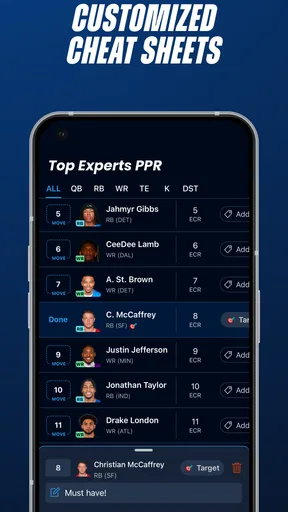
The app offers a robust lineup management tool that includes features like start/sit recommendations, player news, and matchup analysis. Users can optimize their lineups based on expert rankings and projections, ensuring that they field the best possible team each week. This feature is particularly useful for making last-minute adjustments with confidence.
Are there any subscription costs associated with Fantasy Football My Playbook?
While Fantasy Football My Playbook offers a free version with basic features, there is a premium subscription available for those who want access to advanced tools. The premium version includes features like trade analyzer, weekly rankings, and custom advice, which can significantly enhance your fantasy football strategy.
How does Fantasy Football My Playbook handle data privacy and security?
Fantasy Football My Playbook takes data privacy and security seriously. The app uses encryption to protect user data and does not share personal information with third parties without consent. Users can feel confident that their information and fantasy team details are safeguarded while using the app.
